Specification table block
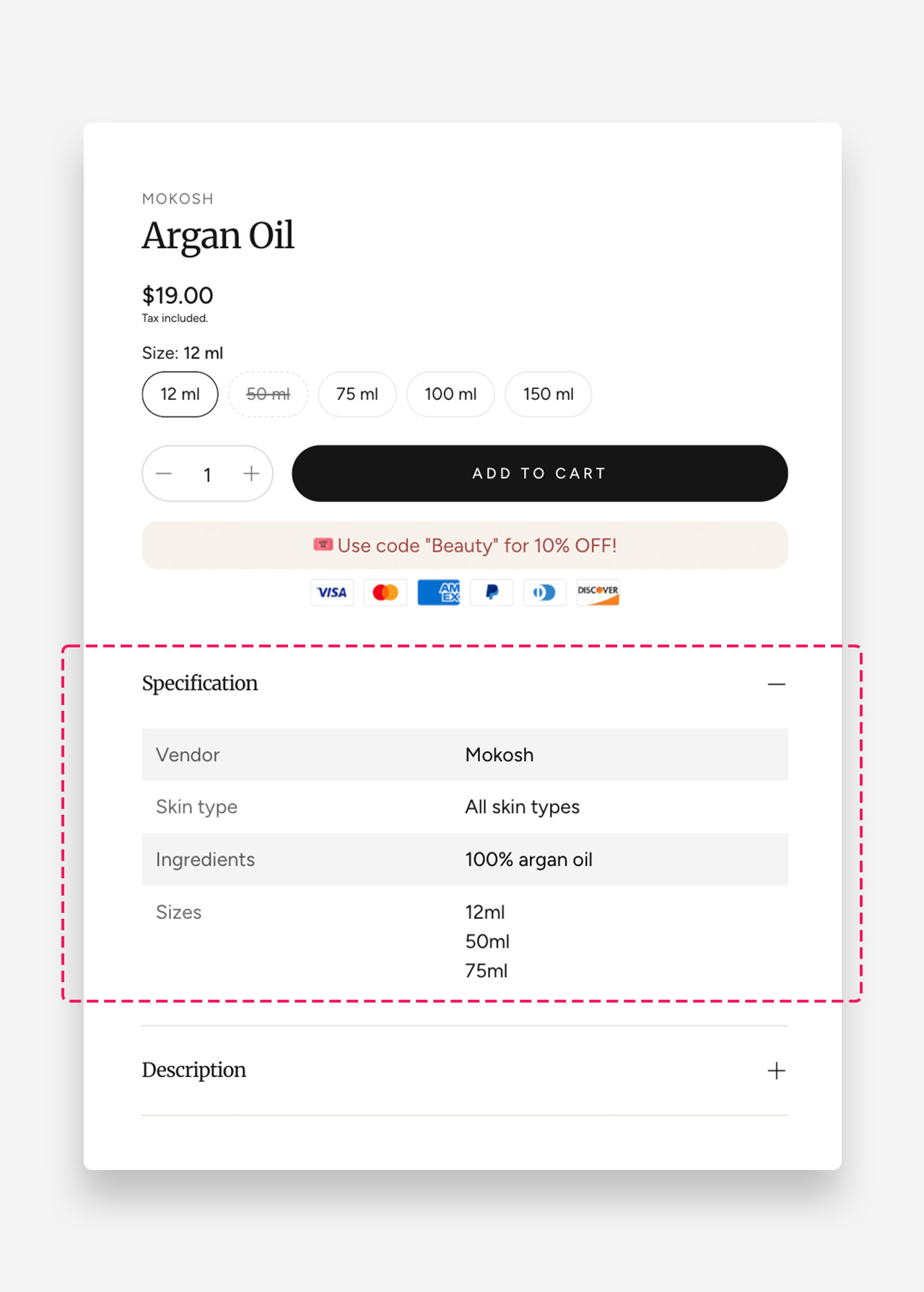
The Specification Table block provides a clean and organized way to display detailed product information.
It appears inside a collapsible row, allowing you to keep your product page visually minimal while still giving customers access to all key specifications when needed.
Each product can be linked to a unique metafield, so you can display custom data — like dimensions, materials, or technical details — for every item within the same template.
This flexible and space-saving design ensures consistency across your store while keeping product pages neat and informative.
How to set up specification table block?
- Create a product metafield of type Multi-line text.
- Fill in the specification table metafield
- The first line represents the header (left column), and the next lines are the content (right column).
- Each additional row should be separated by one empty line (see the video)
- Add a Specification Table block and connect it to the metafield created in the previous step.
- Customize the table appearance by adjusting:
- Background and text color for odd rows
- Brightness for the header column
Was this article helpful?
That’s Great!
Thank you for your feedback
Sorry! We couldn't be helpful
Thank you for your feedback
Feedback sent
We appreciate your effort and will try to fix the article